Anti-fraud systems have long gone beyond IP address checks. Modern algorithms analyze dozens of identifiers across three levels — hardware, operating system, browser — and build a unique "digital portrait" of each device. Antidetect System by Vektor T13 is the only solution that spoofs parameters at all three levels simultaneously, using virtual machine technology. In this article, we break down exactly how it works, why browser antidetect is no longer enough, and which specific identifiers the system spoofs.
Why You Get Recognized: The Digital Fingerprint Problem
Every time you open a website, your device transmits a set of identifiers. The anti-fraud system collects them and builds a unique profile.
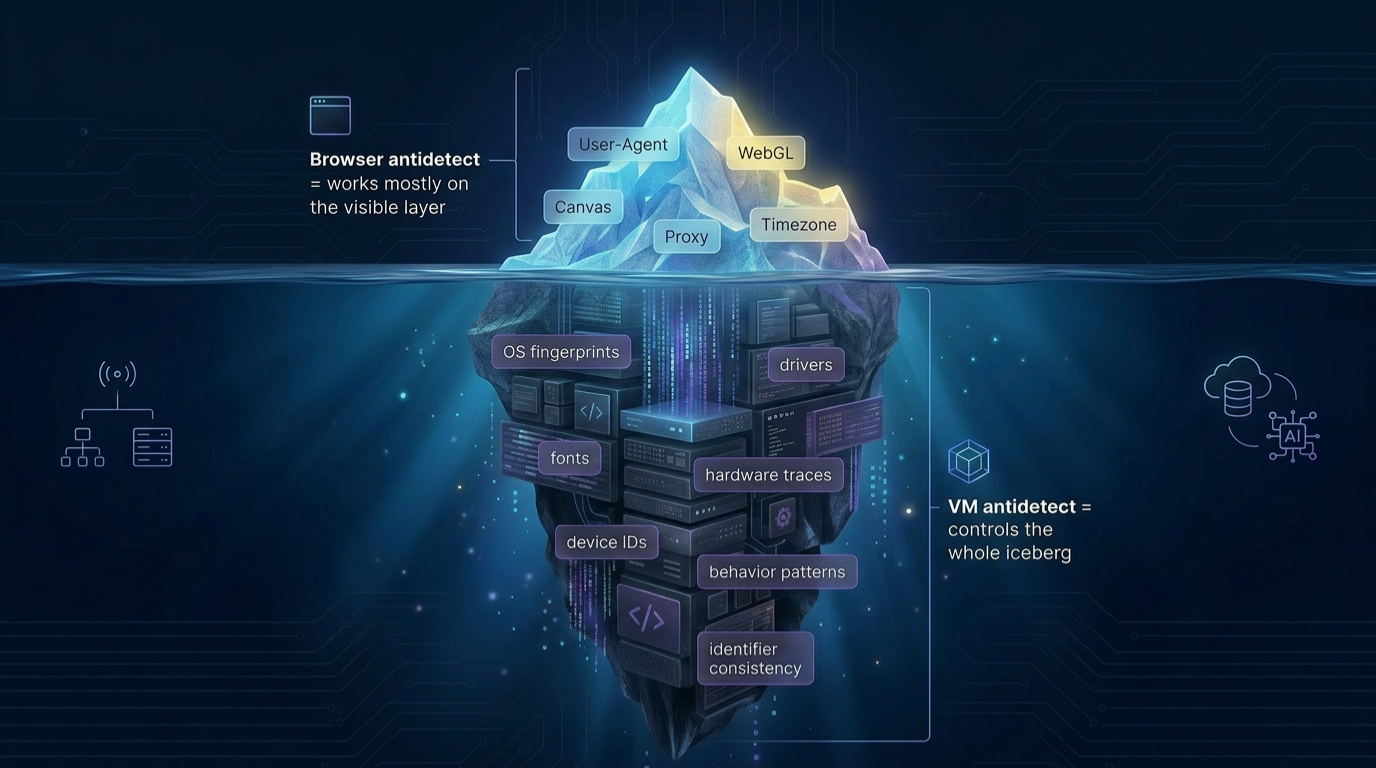
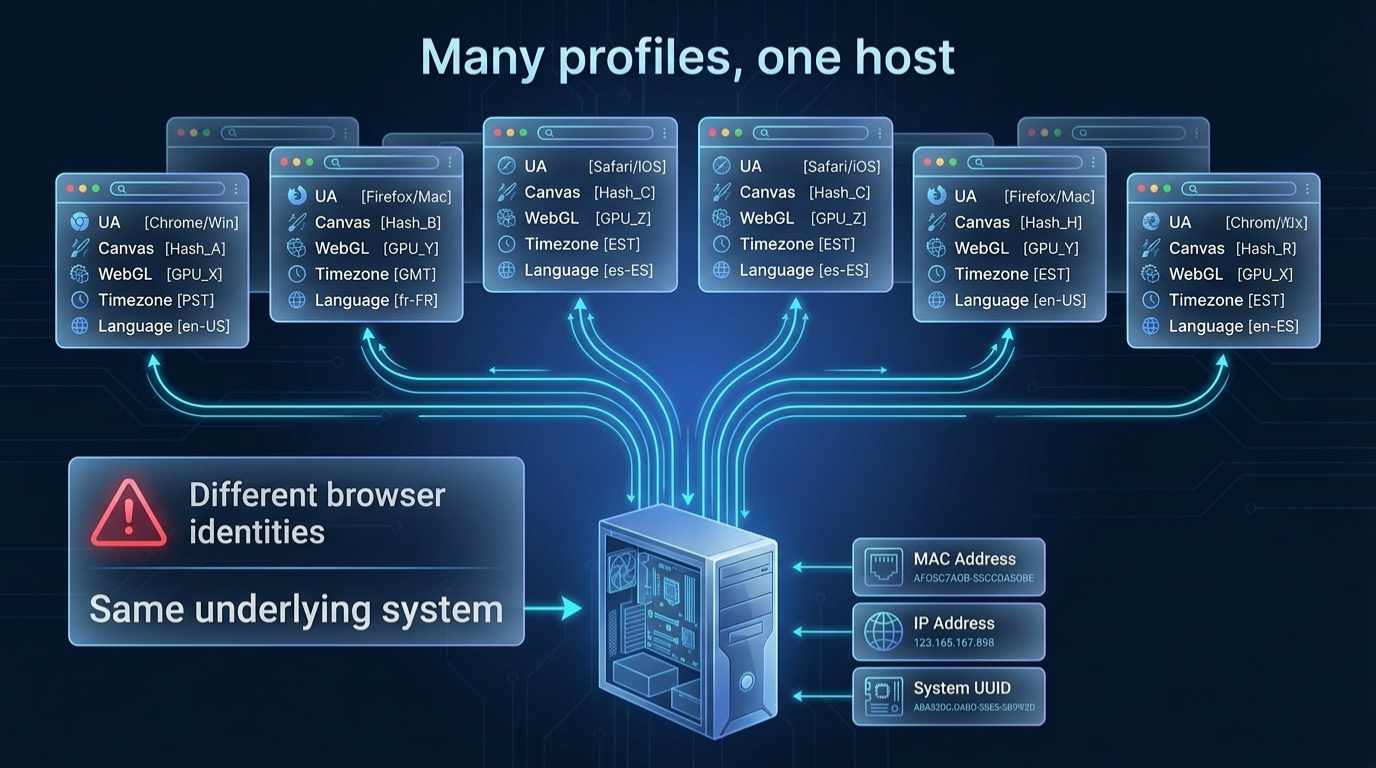
Changing your IP via VPN or proxy is just the tip of the iceberg. Beneath it are dozens of parameters that form a persistent digital fingerprint. If two accounts share the same Canvas fingerprint, System UUID, or Windows SID — anti-fraud links them in seconds, regardless of IP address.
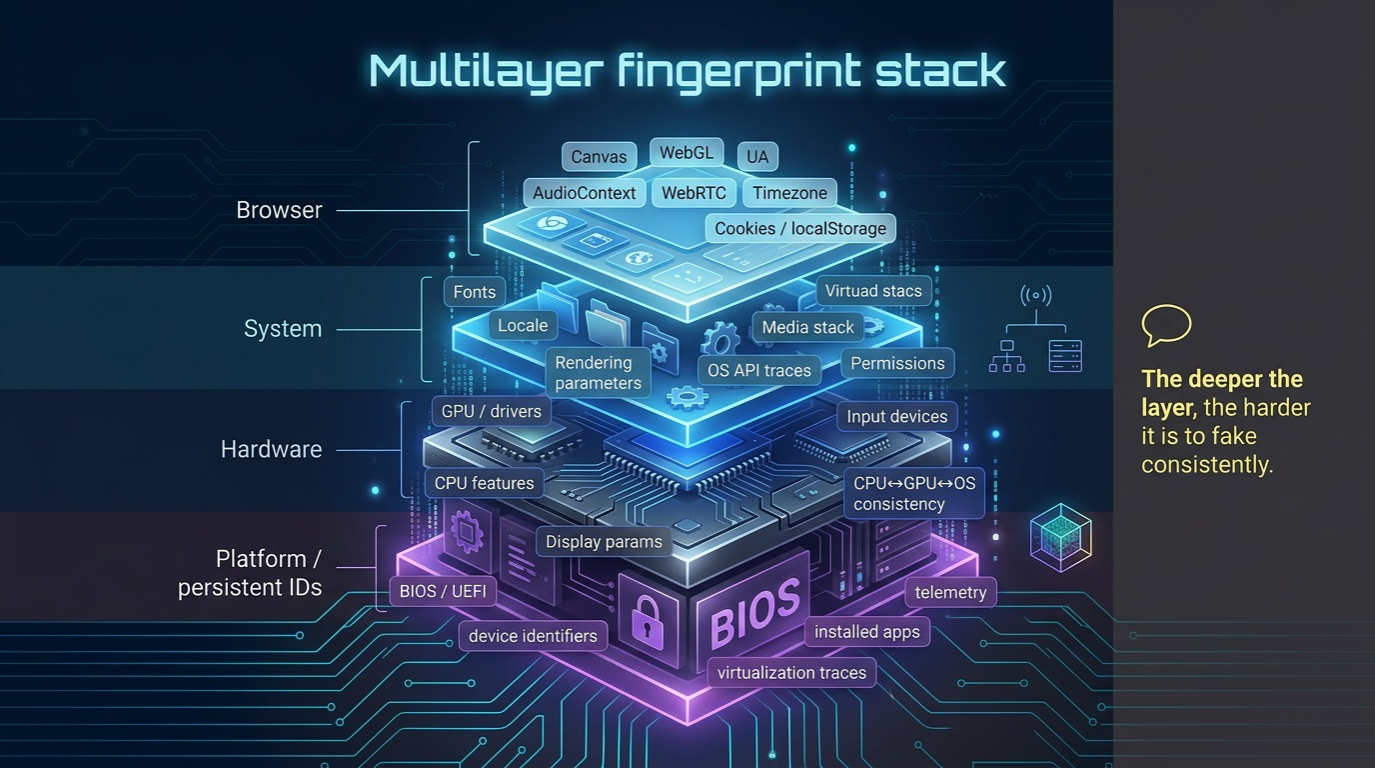
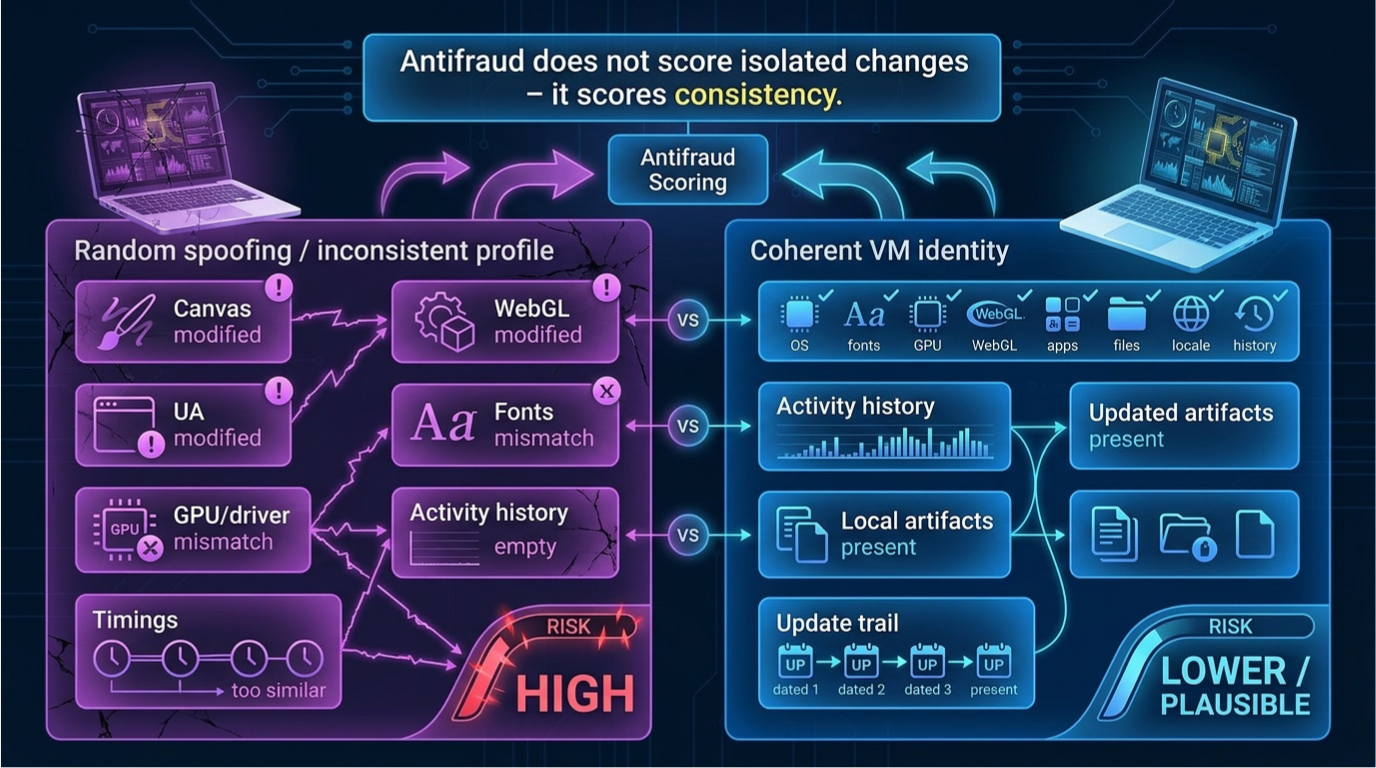
Moreover, modern anti-fraud systems use cross-validation: data from one level is checked against data from others. The browser declares a specific GPU — so Canvas and WebGL fingerprints must match that exact card. The OS reports a certain font set — the browser must show the same. Any discrepancy raises the profile's "risk score."
What Anti-Fraud Actually Sees
| Level | Example Identifiers | Spoofed by Browser Antidetect? |
|---|---|---|
| Hardware | System UUID, Motherboard SN, HDD SN, MAC, GPU ID | ❌ No |
| OS (Operating System) | SID, Volume ID, Machine ID, Product ID, hostname | ❌ No |
| Browser | User-Agent, Canvas, WebGL, TLS, AudioContext, fonts | ✅ Yes (JS injections) |
Browser antidetects — GoLogin, Dolphin Anty, AdsPower — only work at the third level. The two lower levels remain exposed, and anti-fraud sees this. Antidetect System covers all three levels simultaneously, creating a consistent picture from hardware to browser.
Three Levels of Spoofing in Antidetect System
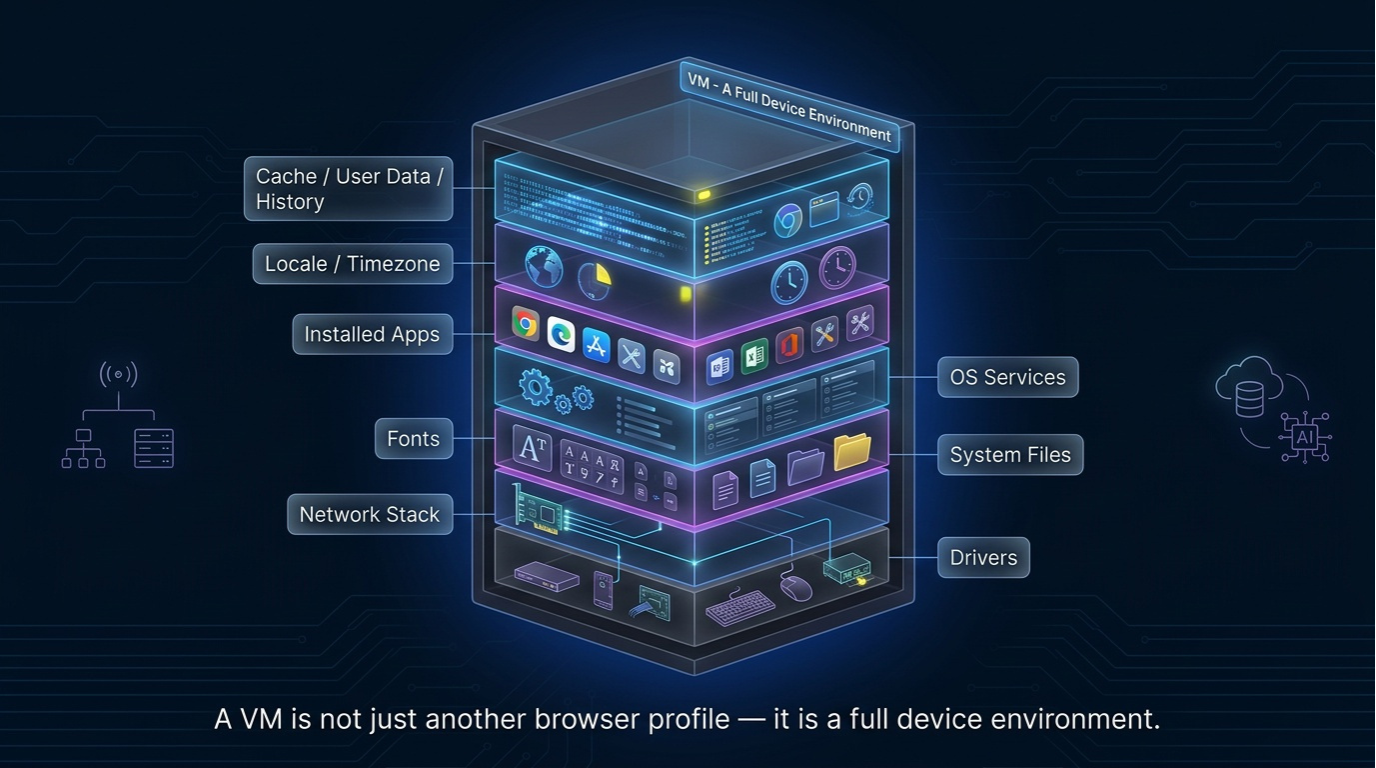
Antidetect System's architecture is built on the principle of full virtualization: each profile is a separate virtual machine with a unique set of identifiers at all levels. Not a "mask" over a real device, but an entirely new device.
Level 1 — Hardware: Spoofing Hardware Identifiers
At the deepest level are identifiers "hardwired" into computer components. Browser antidetect physically cannot spoof them — they are accessible through BIOS/UEFI, WMI queries, and system interfaces.
System UUID — The Primary Anchor
System UUID is a unique motherboard identifier stored in BIOS/UEFI. Anti-fraud systems use it as the primary anchor: if two accounts operate on a device with the same UUID — they are linked.
Antidetect System generates a unique System UUID for each virtual machine profile, fully emulating real hardware. The UUID is created in a format matching real motherboard manufacturers — anti-fraud won't see a "synthetic" identifier.
Serial Numbers and MAC Address
| Identifier | What It Is / Role in Anti-Fraud | Spoofing in Antidetect System |
|---|---|---|
| System UUID | Motherboard ID in BIOS/UEFI. Links all accounts on the device | ✅ Unique per profile |
| Motherboard SN | Motherboard serial number. Anchor to physical device | ✅ Auto-generated |
| HDD/SSD Serial | Drive serial number. Unique per disk | ✅ Unique per VM |
| MAC Address | Network card address. Identifies device on network | ✅ Individual MAC |
| GPU ID | Graphics card identifier. Used for WebGL fingerprint | ✅ GPU profile emulation |
Antidetect System's virtual machine generates a completely unique set of hardware identifiers for each profile. Anti-fraud sees "real" hardware because at the hypervisor level — it is real for that VM.
Important nuance: all hardware IDs are internally consistent. GPU ID matches the declared graphics card model, MAC address matches a real network card vendor, serial numbers follow the format of a specific manufacturer. These aren't random strings — they're valid identifiers, indistinguishable from genuine ones.
Level 2 — OS: Spoofing Operating System Identifiers
The operating system stores its own identifiers that browser antidetect cannot spoof. They are accessible to anti-fraud through WMI queries, Windows registry, and system calls.
Windows SID — The Digital Installation Passport
Windows SID (Security Identifier) is a unique identifier created during OS installation that never changes without a full reinstall. Two accounts with the same SID = one device. This is one of the key parameters checked by anti-fraud systems at Amazon, PayPal, and major ad platforms.
SID is accessible through WMI queries and Windows registry — browser antidetect has no access to this data and cannot modify it. Even if a user runs 10 different browser profiles — all of them will have the same SID.
All OS-Level Identifiers
- Windows SID — unique per Windows installation. Primary device-binding marker at the OS level
- Volume ID — disk partition identifier. Changes only on formatting
- Machine ID — used by anti-fraud systems at Amazon, PayPal, Facebook for device identification
- Windows Product ID — tied to the OS license. Match = same installation
- Hostname — computer name on the network. Same hostname across different accounts is suspicious
Antidetect System creates an isolated OS environment for each profile with unique values for all parameters. This is not value injection via script — it's a genuinely different operating system with a different SID, different Volume ID, and different Machine ID.
Each virtual machine contains a full copy of Windows with its own registry, system files, and configuration. Anti-fraud can send any WMI queries — responses will always be consistent because it's a real OS, not emulated responses.
Level 3 — Browser: Spoofing Browser Fingerprints
This is the level where most competitors operate. Browser antidetects spoof fingerprints via JS injections: intercepting Canvas API calls, WebGL, substituting a different User-Agent. The problem — anti-fraud can detect the injections themselves.
Canvas Fingerprint and WebGL Fingerprint
Canvas fingerprint is a unique "drawing" the GPU creates when rendering 2D graphics. It depends on the graphics card, drivers, and OS. Browser antidetects add "noise" to Canvas via JavaScript — but anti-fraud systems have learned to detect this noise.
WebGL fingerprint is a similar fingerprint but for 3D rendering. It includes GPU information, driver versions, and supported extensions.
In Antidetect System, Canvas and WebGL are generated natively — the virtual machine renders through an emulated GPU profile. No JS injections — nothing to detect.
TLS Fingerprint (JA3/JA4)
TLS fingerprint is the "handwriting" of the TLS handshake between browser and server. JA3 and JA4 algorithms analyze the cipher suite, extensions, and their order. Spoofing TLS fingerprint via JavaScript is impossible — it's formed at the network stack level, below the browser.
This is a serious vulnerability of browser antidetects: they spoof User-Agent to Chrome 120, but the TLS fingerprint reveals a completely different browser. Anti-fraud catches the mismatch and raises the risk score.
Antidetect System controls the network stack at the VM level, enabling a consistent TLS fingerprint matching the declared browser and OS.
AudioContext Fingerprint
AudioContext is a unique fingerprint based on audio signal processing. It depends on audio hardware, drivers, and OS. In the VM approach, AudioContext is generated by the real audio stack of the virtual machine, not spoofed via injection.
System Fonts
The set of installed fonts is a powerful identifier. Browser antidetects can hide some fonts but cannot add fonts characteristic of another OS or region. Antidetect System installs a real font set in each VM, matching the selected locale and OS.
Why Browser Antidetect Is No Longer Enough
Long ago, Vektor T13 also made a browser antidetect. However, the effectiveness of this approach decreases every year.
— Dmytro Momot, project founder
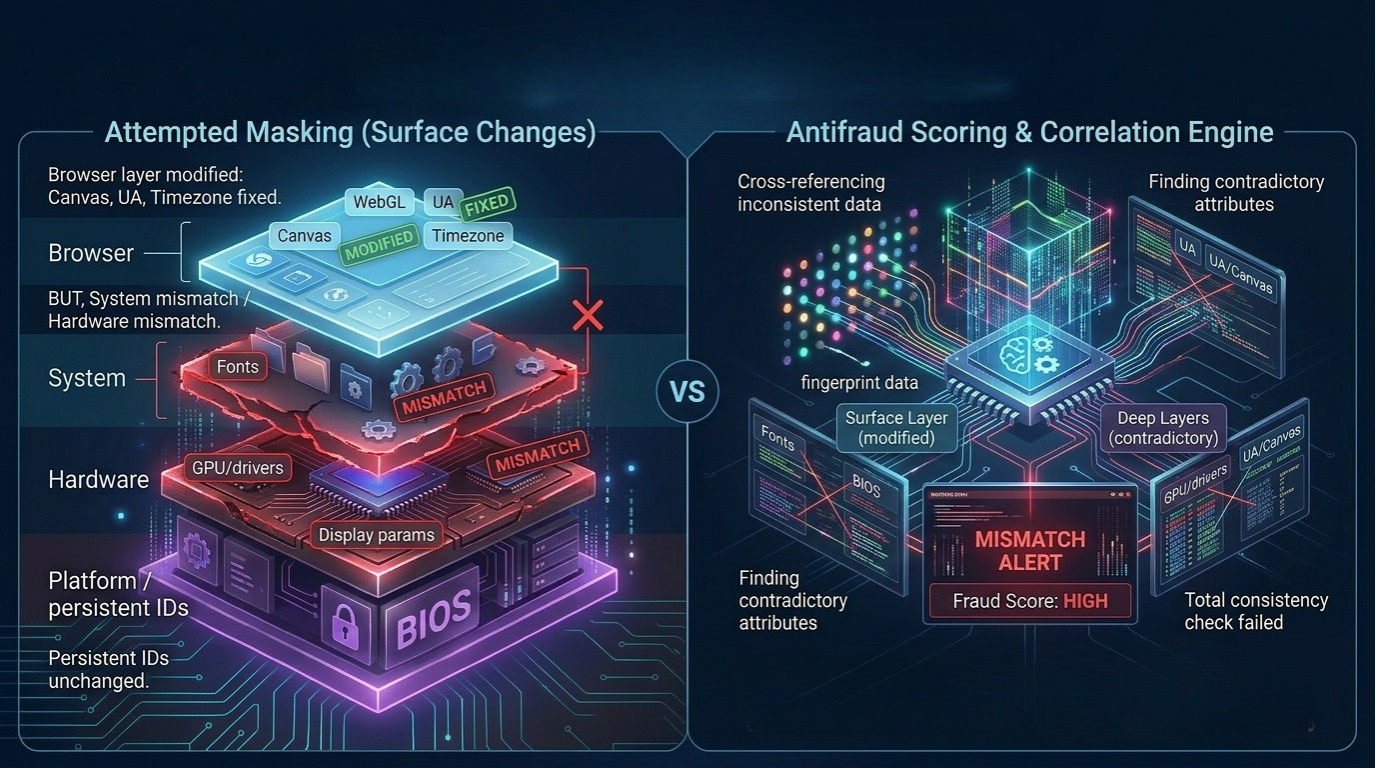
The problem with browser antidetect is level mismatch. Anti-fraud sees a "new" Canvas and User-Agent, but System UUID, SID, fonts, and Machine ID remain the same. This mismatch is the primary signal for a ban.
How Anti-Fraud Detects Discrepancies
- Cross-validation — Canvas fingerprint doesn't match the declared GPU ID
- JS injection detection — anti-fraud checks the integrity of Canvas, WebGL API calls
- Depth check — if the browser "says" one thing but a WMI query to the OS returns another — the profile is flagged
- Temporal correlation — same SID + different Canvas across different accounts = one computer with antidetect
Antidetect System eliminates all these scenarios because data across all three levels is internally consistent.
How Antidetect System's VM Approach Works
In Antidetect System, each profile is a separate computer with a completely unique set of identifiers.
Profile Creation Algorithm
- Hardware ID generation — the system creates unique System UUID, motherboard serial numbers, HDD, MAC address, and GPU profile
- OS configuration — unique SID, Volume ID, Machine ID are generated; fonts matching the target region are installed
- Browser configuration — Canvas, WebGL, and TLS fingerprints are formed natively, consistent with hardware and OS
- Consistency check — all three levels are verified for non-contradiction before profile launch
Result: the anti-fraud system sees a completely real device because at the virtualization level — it is real.
Fundamental Difference from Competitors
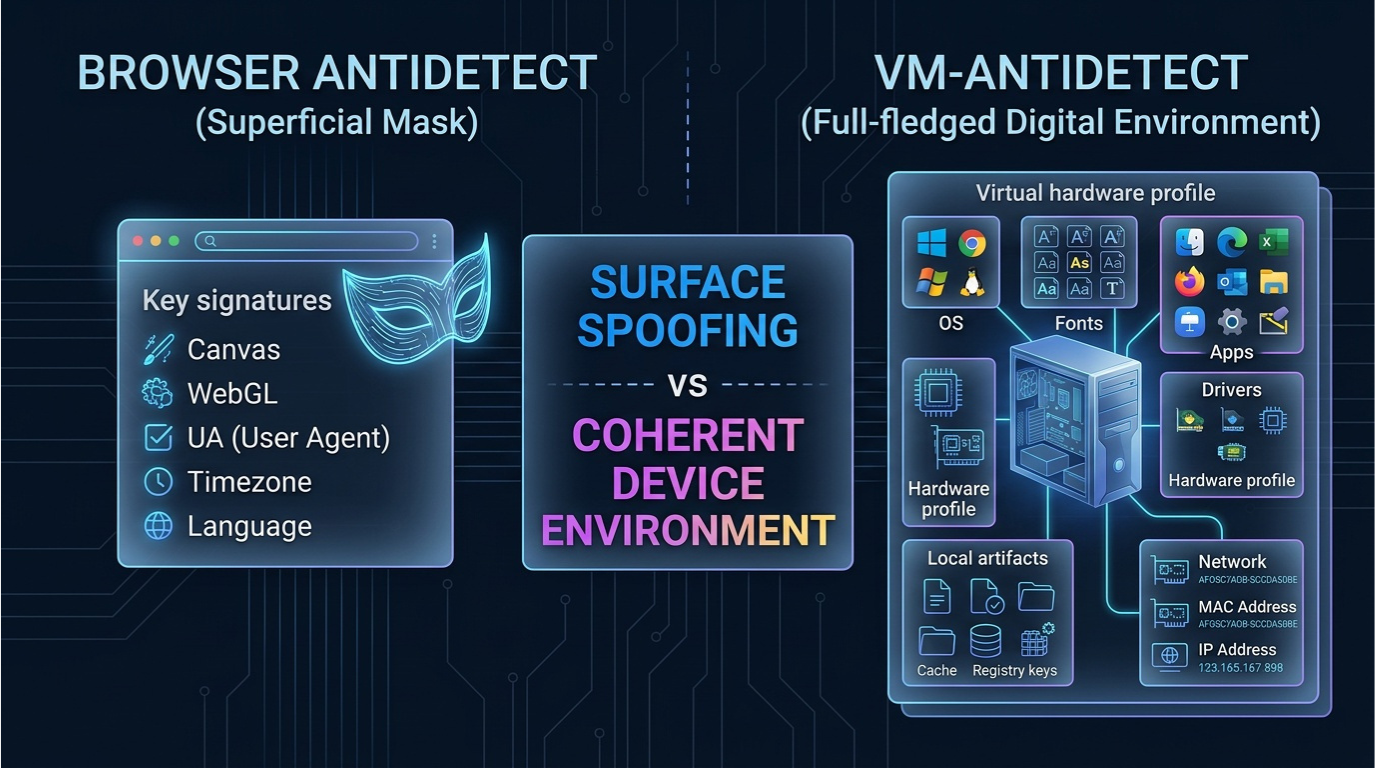
Browser antidetect spoofs the output — intercepts API calls and returns fake values. VM antidetect spoofs the input — creates real virtual hardware that generates honest responses on its own.
The difference is like between a forged passport and actual citizenship of another country.
Comparison: VM Antidetect vs Browser Antidetect
| Parameter | Browser Antidetect | Antidetect System (VM) |
|---|---|---|
| Hardware ID (UUID, SN, MAC) | ❌ Not spoofed | ✅ Full spoofing |
| OS Identifiers (SID, Volume ID) | ❌ Not spoofed | ✅ Full spoofing |
| Canvas / WebGL | ⚠️ JS injection (detectable) | ✅ Native rendering |
| TLS Fingerprint (JA3/JA4) | ❌ Impossible via JS | ✅ Network stack control |
| System Fonts | ⚠️ Partial spoofing | ✅ Real OS fonts |
| AudioContext | ⚠️ JS spoofing (detectable) | ✅ Real VM audio stack |
| Level Consistency | ❌ Mismatches between levels | ✅ All levels consistent |
| Spoofing Detection | ⚠️ JS injections are detectable | ✅ Native, no injections |
Conclusion: Three Levels — One Principle
Antidetect System is the only solution operating across all three levels of digital identification: hardware → OS → browser. It is not an improved browser antidetect — it is a fundamentally different approach.
While browser antidetects spoof the "wrapper," Antidetect System creates an entirely new device. The difference between "looking different" and "being different."
Each year, anti-fraud systems grow more complex: new checks are added, new parameters are analyzed, machine learning algorithms search for anomalies. The VM approach scales with these changes because it doesn't fake responses — it creates a real environment that generates correct answers to any query on its own.
VM-based antidetect. 300,000+ unique identity combos. Free edition available.
